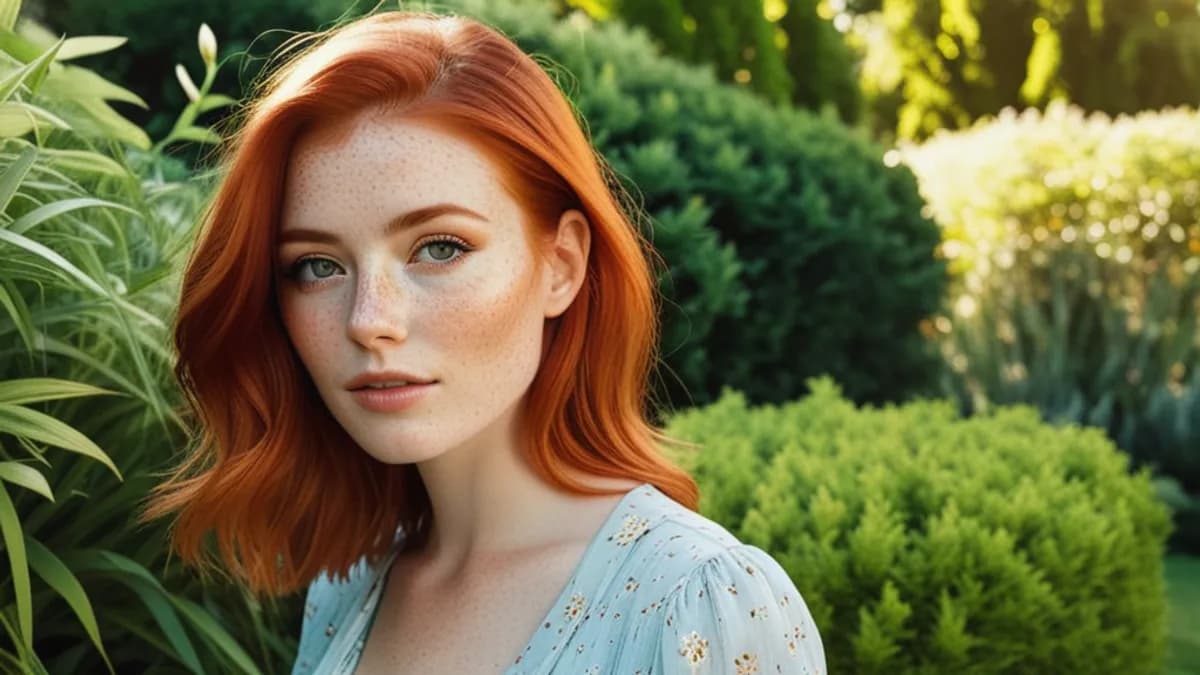
If your AI-generated portraits look like Madame Tussauds wax figures — too smooth, glossy, weirdly perfect — you're seeing SDXL's default skin behavior. It's not a bug, it's a training-data bias. And it has a stupidly simple fix.
What "plastic skin" actually is
Every diffusion model averages its outputs based on what it saw during training. SDXL's training set — and by extension bigASP v2.5, RealVisXL, JuggernautXL — is heavily weighted toward:
- Retouched professional photography (magazine, fashion, glamour)
- Beauty filters (Instagram, FaceApp, etc.)
- AI training datasets that were themselves AI-cleaned
All three over-represent smoothed-out skin. Real human skin has pores, micro-shadows, subtle redness, fine hair. Retouched and filtered skin doesn't. The model learned "human face = smooth surface."
When you prompt for "young woman, portrait" with no skin instruction, the model defaults to its average: slick, poreless, plastic.
The two failure modes (and why most fixes overshoot)
There's a narrow band between plastic and freckle disease:
| What you ask | What you get |
|---|---|
| Nothing | Plastic doll skin |
| "detailed skin texture" | Pores in the wrong places, exaggerated |
| "perfect skin, flawless skin" | More plastic |
| "freckles, blemishes, skin imperfections, pores everywhere" | Freckle disease — every cm² covered in tiny dots |
| "natural skin pores" | Realistic |
The trap most people hit: they recognize the plastic problem, then over-correct by stacking five skin-related words. The model interprets "lots of skin tokens = make the skin extreme" and gives you freckle disease.
The 3-word fix
Add exactly one of these phrases — never more than one:
natural skin poressubtle skin texturerealistic skin
That's it. Don't pair them with each other. Don't add "freckles" unless you specifically want freckles. Don't write "detailed skin texture pore-level realism."
- young woman, portrait, looking at camera, soft lighting
+ young woman, portrait, looking at camera, soft window light, natural skin pores
This single phrase tells the model: "deviate from the plastic-default toward realistic." But just slightly. Not "render skin as the main subject."
Why "natural" matters in those phrases
Words like "detailed" and "perfect" trigger SDXL's "exaggerate this aspect" mode (the same trap as "ultra detailed" pulling toward CGI). Words like "natural" and "subtle" act as moderating qualifiers — they push toward realism without overshooting.
| Word | Effect |
|---|---|
| detailed skin | Overshoots — exaggerated, sometimes ugly |
| perfect skin | Overshoots wrong direction — back to plastic |
| flawless skin | Back to plastic |
| realistic skin | Mild push toward realism |
| natural skin pores | Strongest realistic push without overshooting |
| subtle skin texture | Gentle push, good for close-ups |
Negative-side support
Adding plastic skin to your negative prompt doubles the effect. Most realism-checkpoint defaults include it; ximages auto-applies. If you're elsewhere, add to negative:
plastic skin, doll skin, wax figure, smooth plastic, glossy face, airbrushed
Don't add flawless, perfect, smooth to negative — those words have legitimate uses elsewhere in your prompt and would conflict.
Test it yourself
Pick any prompt you generated yesterday with plastic-looking output. Add , natural skin pores to the end. Use the same seed (so you're only changing one variable). Compare.
The change is usually dramatic — going from waxen to "actually looks like a person with skin." If you don't see the change, your model checkpoint may not be SDXL-family (FLUX behaves differently — see below).
What about FLUX?
FLUX.1 has a slightly different bias. Out of the box, its skin is more textured than SDXL's, but it can swing toward "every face has freckles." On FLUX, the fix is less aggressive:
clear skin, natural complexion
Or sometimes just leaving skin tokens out entirely works better than adding them. Test both. FLUX doesn't have the same plastic default that SDXL does.
Putting it together
A complete portrait prompt with the fix:
young japanese woman, late 20s, long black hair, slight smile,
sitting at a cafe table, looking out window, white t-shirt,
afternoon daylight through window, evenly lit interior,
natural skin pores, candid moment
Negative (use baseline + plastic-specific):
illustration, painting, anime, cartoon, 3d render, cgi,
cinematic lighting, golden hour glow, magazine cover,
overexposed, blurry, out of focus, bad composition,
plastic skin, doll skin, airbrushed, smoothed
On ximages this entire negative is auto-applied. You only fill the positive.
Quick rules
- Exactly one skin descriptor in positive prompt
- Use "natural" / "subtle" as qualifiers, never "detailed" / "perfect"
- Don't pair skin words ("natural skin pores, subtle texture" = wrong)
- Negative includes "plastic skin, doll skin"
- Test with same seed to verify the change
That's it. Three words can save your output. Try the generator — its AI assistant defaults to including the right skin descriptor.
Related reading: 12 NSFW prompt traps every beginner falls into covers the broader pattern of "magic word stacking" that creates the plastic problem in the first place.